
VimScore 1.15 · Your app guide
Your activity.
Your goal.
Your way forward.
A quick overview of where to find the main features and how to use them in everyday life.
For existing users
Welcome back
Use the same email address as before. You do not need to create a new account.
- Select Sign in.
- Enter your email address and select Submit.
- Enter the code from the email and select Sign in.
Taking part in a challenge? Use the email address you registered with. If you see Demo, choose My account to view your own data.
↑ Back to overview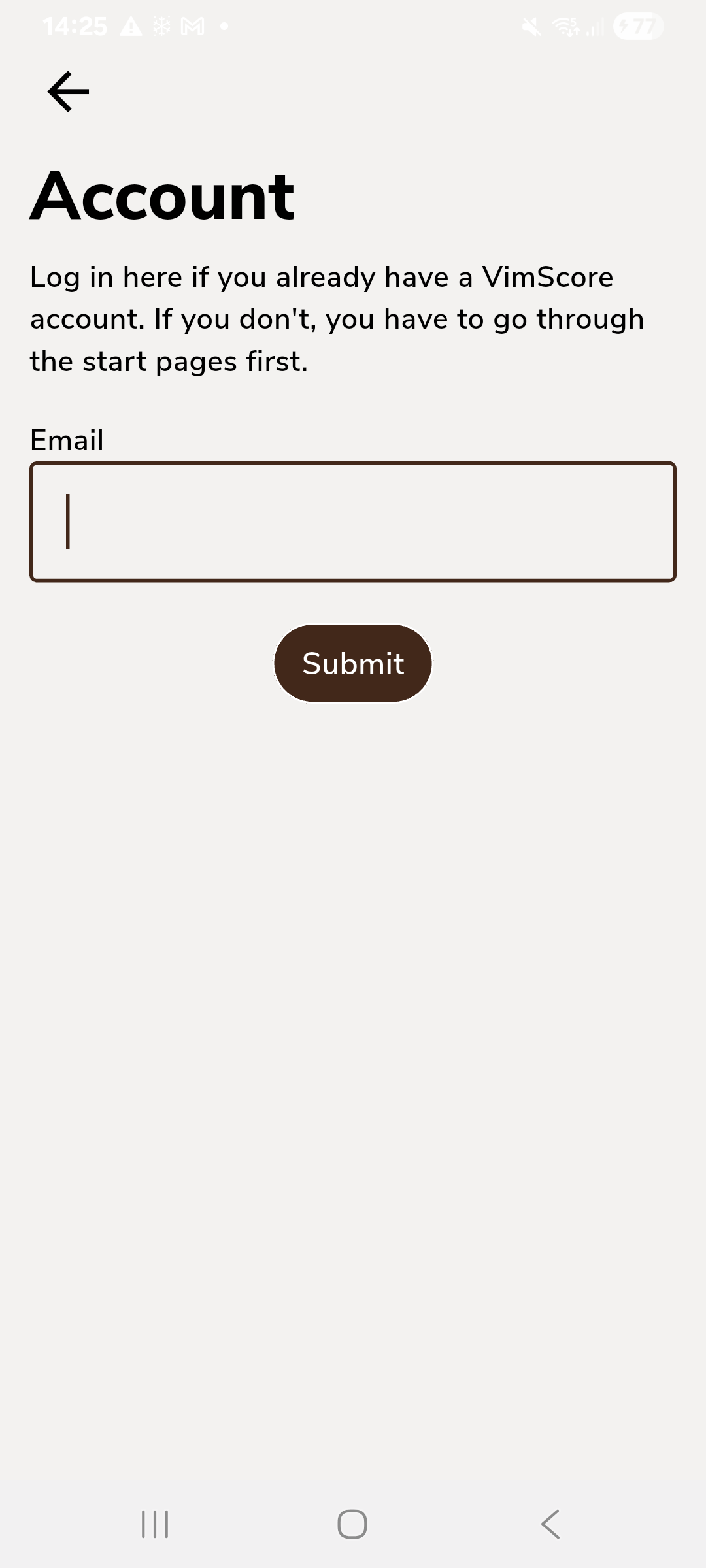
For new users
Choose your starting point
VimScore adapts the training using the information and level you provide.
- Select Get started.
- Select Tailor training to me.
- Answer the questions and set a suitable weekly goal.
- Confirm your email address when prompted.
Select Explore the app first if you want to view sample data before setting up your profile.
↑ Back to overview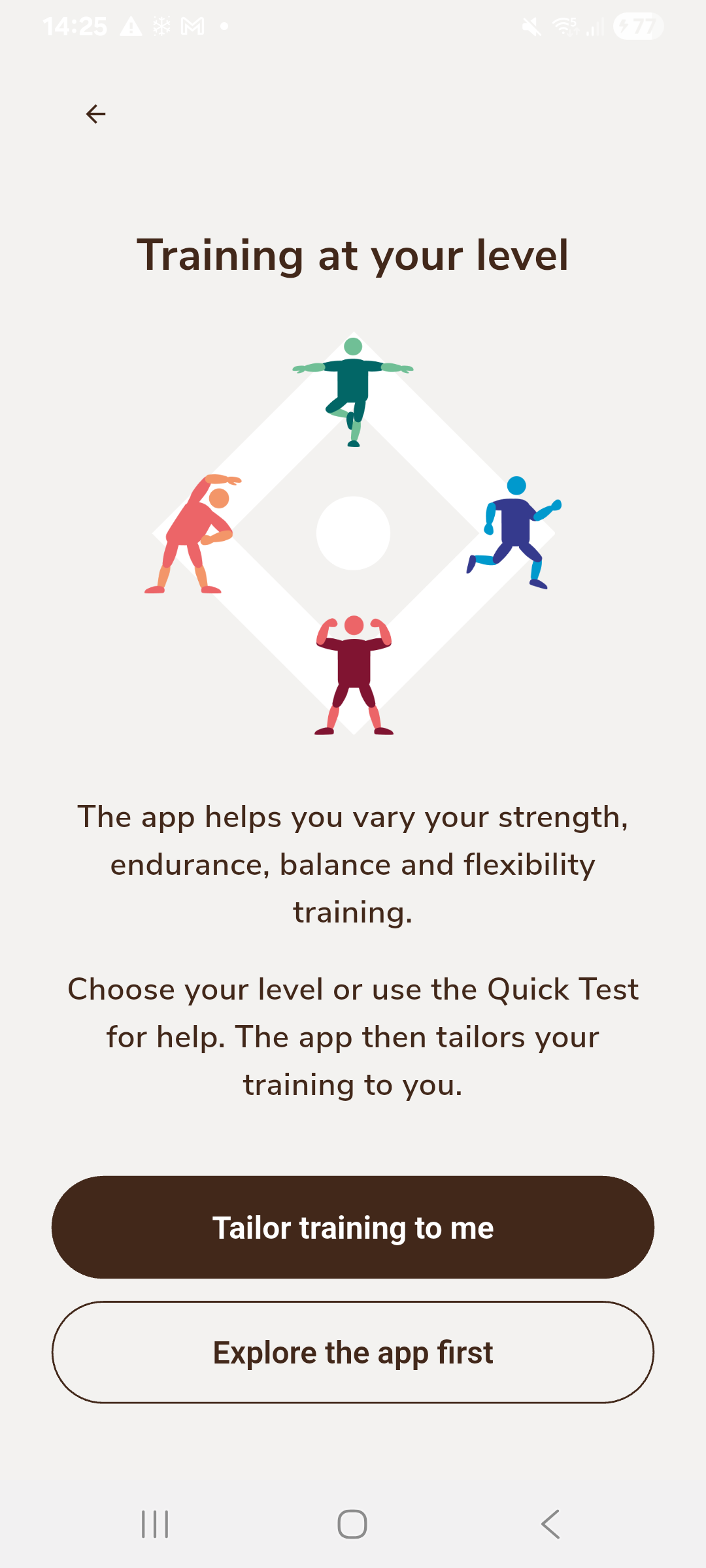
Find your way around
Home gives you the overview
On Home, you see this week’s activity, progress towards your goal, your latest session, planned sessions and challenges.
| Hjem | Home: your weekly overview and shortcuts. |
|---|---|
| Dagbok | Diary: completed and planned sessions by date. |
| VimPlay | Create, register or record activity, and open favorites. |
| Score | View and update your physical-capacity assessment. |
| Meg | Me: your weekly goal, information and settings. |
In version 1.15, the bottom labels Hjem, Dagbok and Meg are still shown in Norwegian when the app is set to English.
↑ Back to overview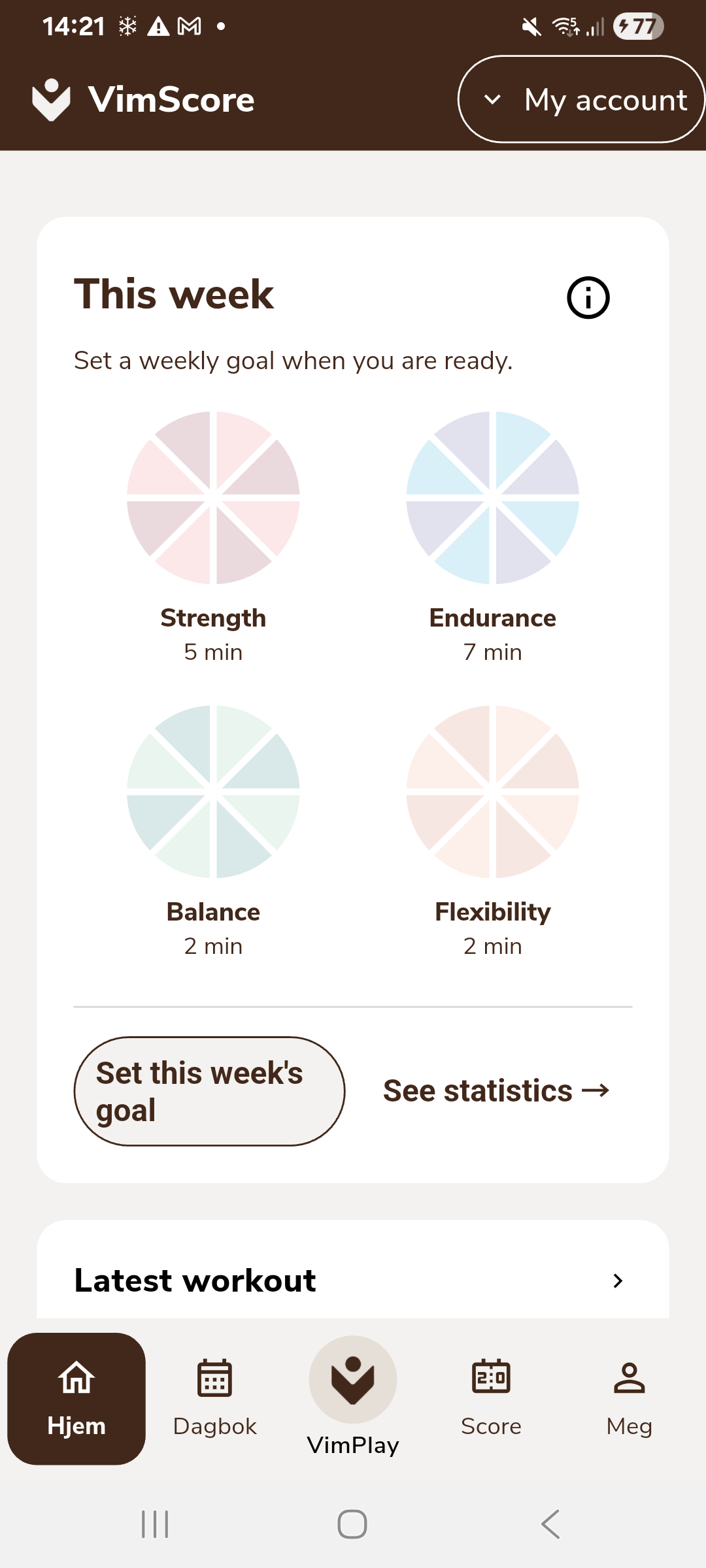
A goal that suits you
Make room for a little of each
Strength, endurance, balance and mobility are the four capacities in VimScore.
- Open Meg (Me) → Ukens mål (Weekly goal).
- Select Endre mål (Change goal) or Sett ukesmål (Set weekly goal).
- Adjust the minutes and select Save.
The capacity labels Styrke, Utholdenhet, Balanse and Bevegelighet are still shown in Norwegian in version 1.15.
↑ Back to overview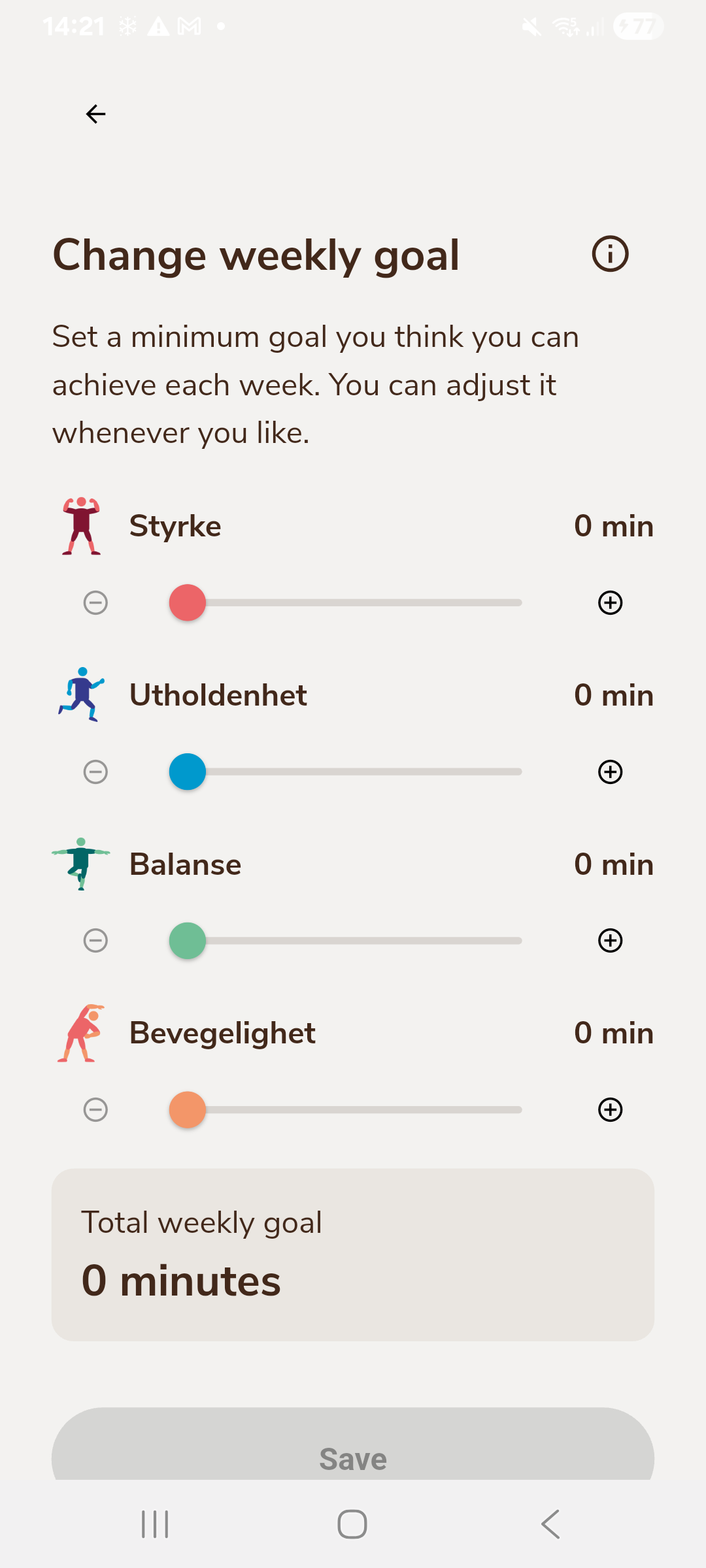
Your training experience
Create a session that suits you
- Open VimPlay → Get workout.
- Choose the duration and select Gym or Home.
- Select Make, review the session and select Start.
- When finished, review the summary and select Save.
Animations demonstrate the exercises. Select i for a written explanation, and swipe across an exercise to see alternatives.
↑ Back to overview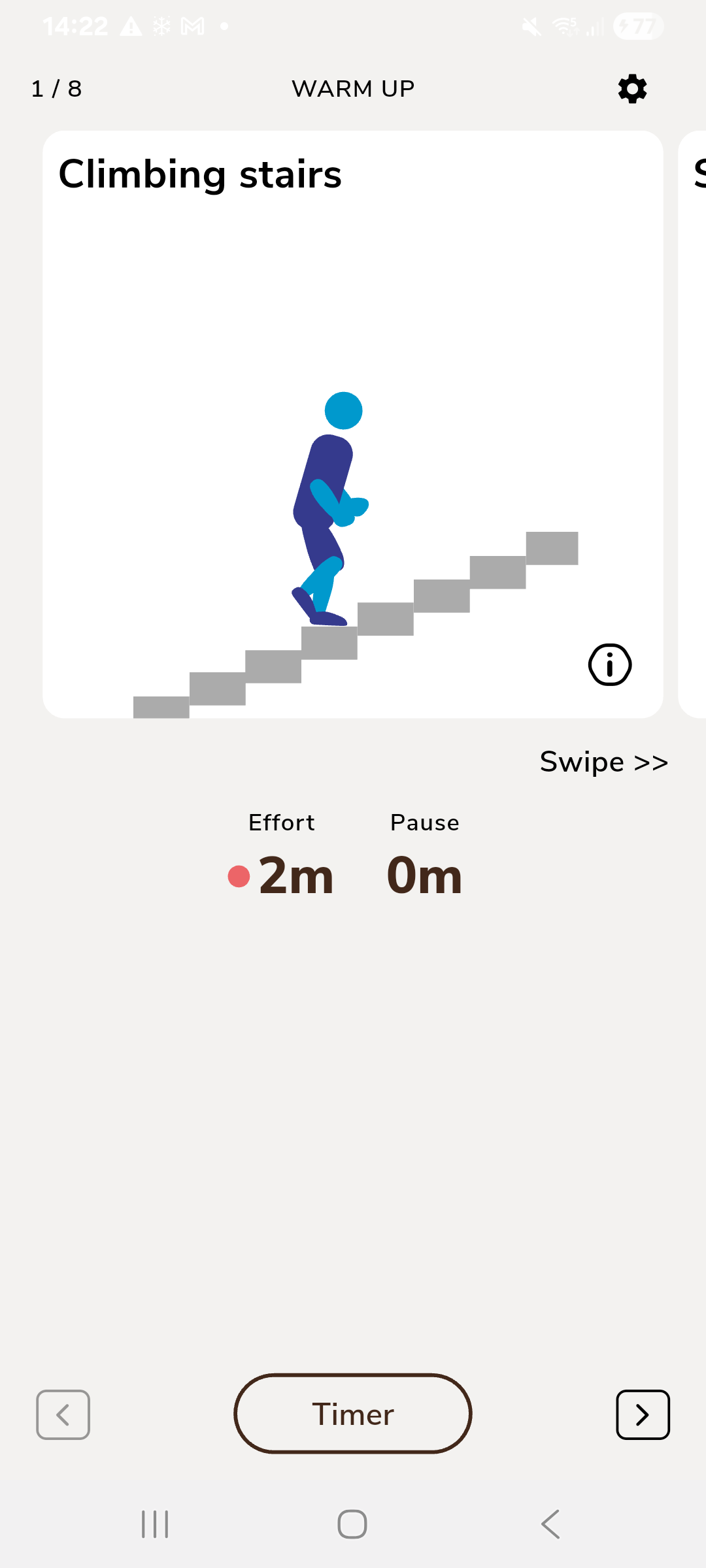
Use a session again
Favorites and planning
Open Today’s workout and select Lagre favoritt (Save favorite). Find it later under VimPlay → Favourite workouts.
Select Planlegg økt (Plan workout) to choose a date. The plan appears in Dagbok (Diary).
Lagre favoritt and Planlegg økt are still shown in Norwegian in version 1.15.
↑ Back to overview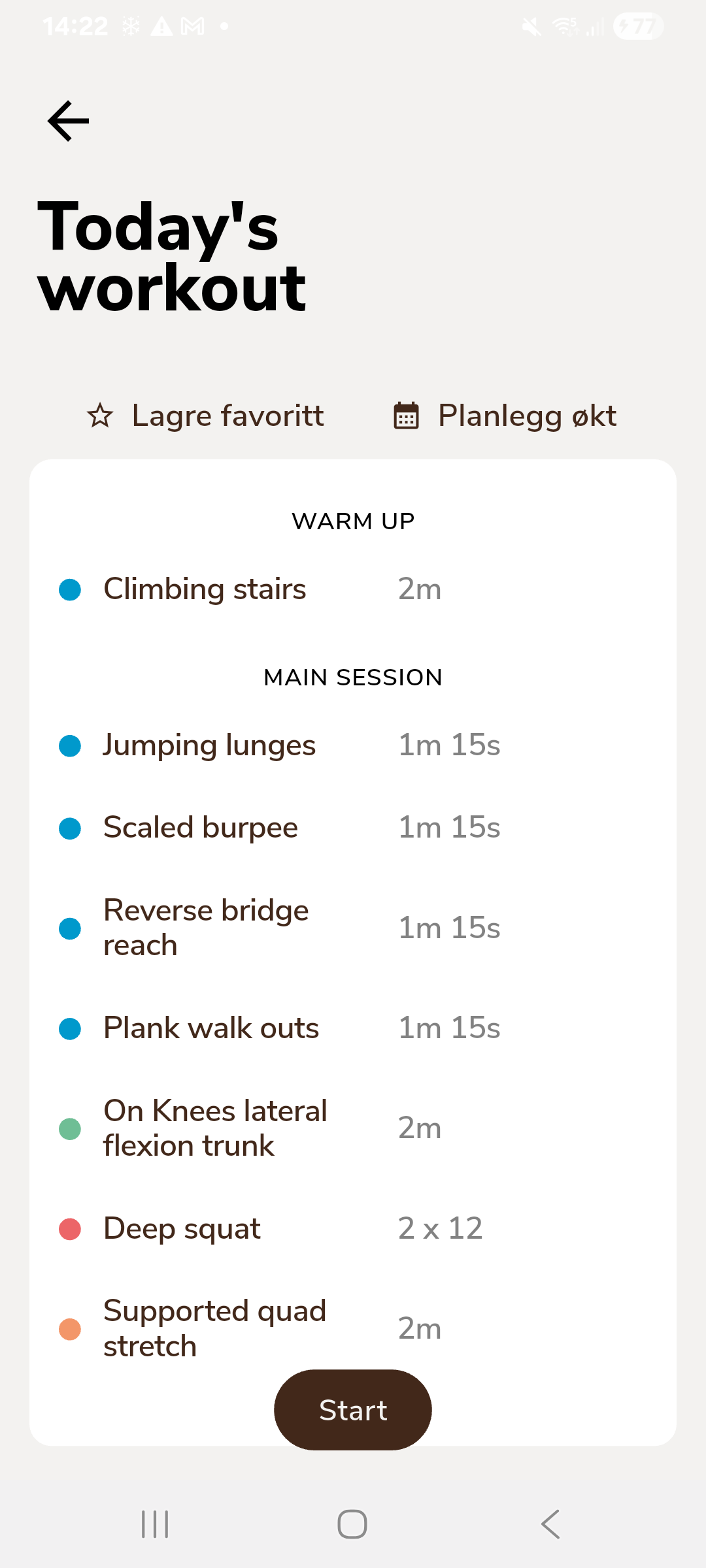
Activity your way
Register your own activity
Register it afterwards
VimPlay → Record workout
Use the first Record workout option for manual registration. Choose the activity, duration and date, then save it.
Record it as you go
VimPlay → Record workout
Use the second Record workout option with the circle icon for timed recording and optional GPS. End the session, review the summary and save it.
Both options are labelled Record workout in version 1.15. Register an activity only once.
↑ Back to overview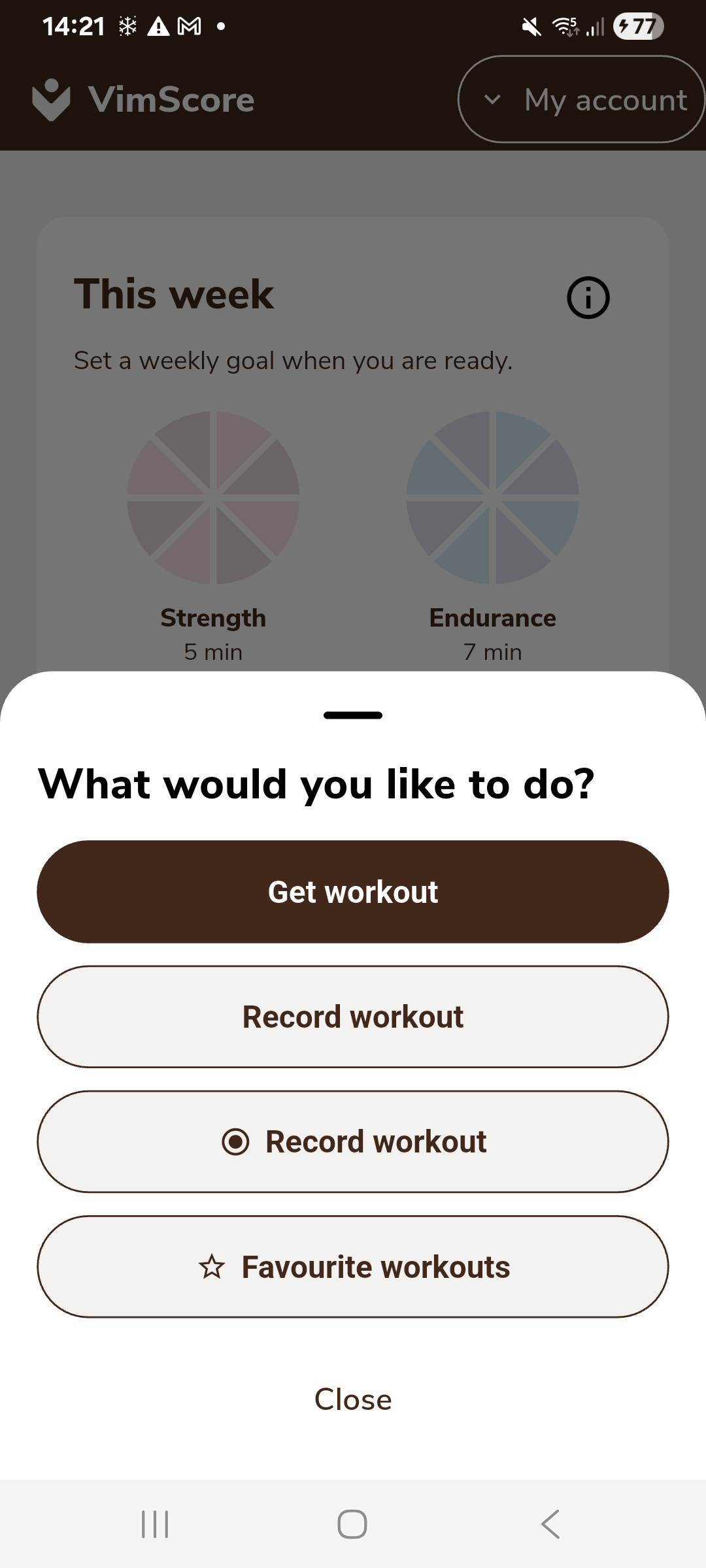
History and development
Find what you have done
Dagbok (Diary) collects completed and planned sessions. Choose a date and open the panel at the bottom to view details.
Score shows your assessed starting point for the four capacities and lets you review or update the assessment.
Alex · demobruker and Selvtest are still shown in Norwegian in version 1.15.
↑ Back to overview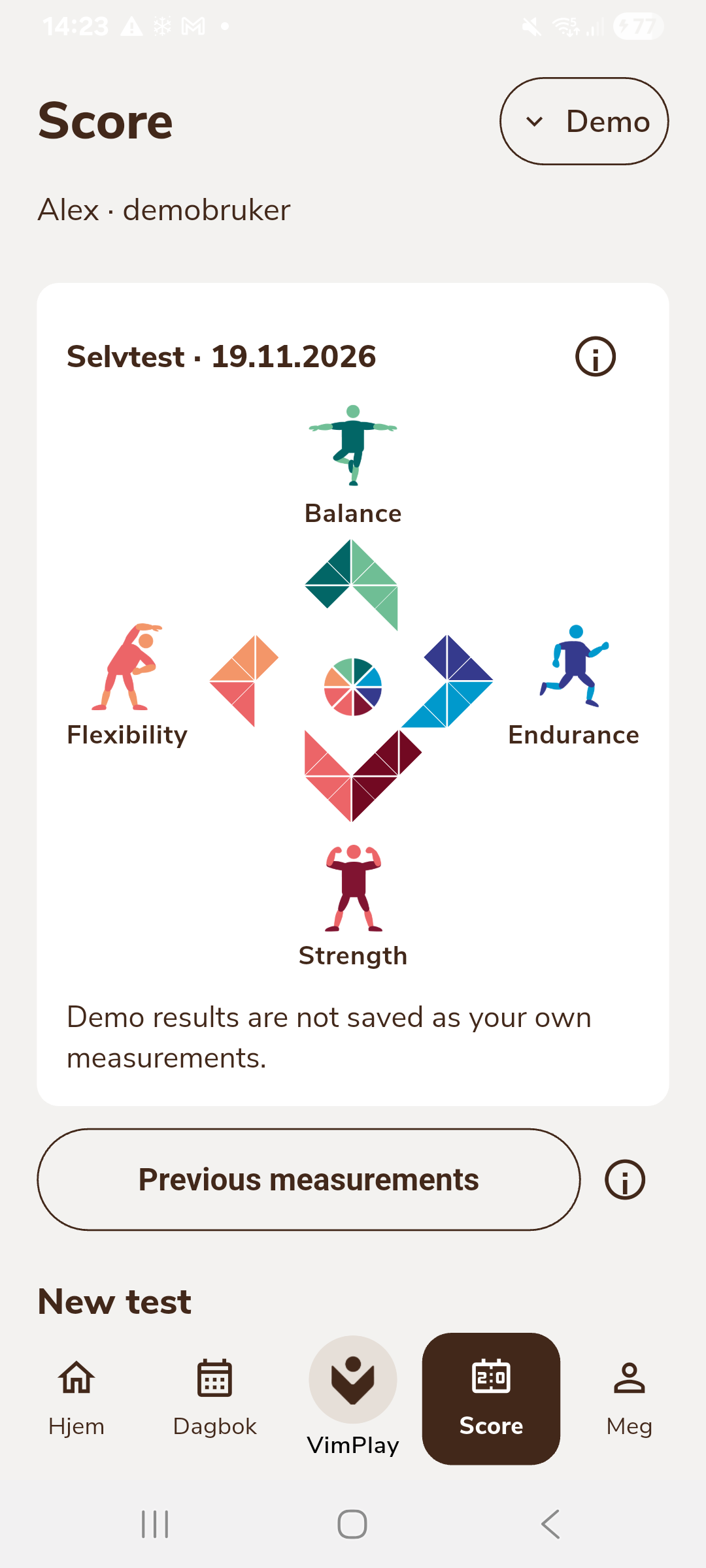
For challenge participants
Find your challenge
Open Home → Your challenges, choose the challenge and the week you want to view. Use My team or All teams to change the overview.
If your challenge or team is missing, check that you use the email address you registered with. Contact the organizer if it is still missing.
↑ Back to overviewNeed help?
We are happy to help
Missing the sign-in code? Check your spam folder and email address, or choose Send new code.
Visit VimScore support or email hei@vimscore.com.